Executive Summary: This article presents a comprehensive analysis of WordPress as a headless content management system, including a curated selection of 12 essential plugins, REST API architecture patterns, and solutions to common implementation challenges.
This article is a companion piece to our corporate website development case study, providing an in-depth examination of the WordPress backend architecture, plugin selection criteria, and technical implementation details.
Strategic Rationale: Why WordPress for Headless Architecture?
When evaluating content management systems for headless implementations, decision-makers often gravitate toward newer solutions such as Strapi, Sanity, or Contentful. However, a thorough cost-benefit analysis reveals compelling advantages for WordPress in many enterprise scenarios.
| Evaluation Criteria | WordPress | Strapi | Sanity | Contentful |
|---|---|---|---|---|
| Platform Maturity | 21 years | 9 years | 7 years | 11 years |
| Licensing Cost | Open Source | Open Source | From $99/month | From $300/month |
| Infrastructure | Self-hosted | Self-hosted | Cloud-managed | Cloud-managed |
| Team Onboarding | Minimal | 2-3 days | 5-7 days | 5-7 days |
| Extension Ecosystem | 60,000+ plugins | ~1,500 | ~200 | ~150 |
| Community Support | 500,000+ Stack Overflow entries | ~15,000 | ~8,000 | ~12,000 |
For projects prioritizing rapid deployment with maximum architectural flexibility, WordPress demonstrates clear advantages.
Key Technical Advantages
Ecosystem Maturity. With over two decades of active development, WordPress benefits from an extensive knowledge base. Virtually every technical challenge has documented solutions within the developer community.
Enterprise-Grade User Management. Role-based access control (Administrator, Editor, Author, Contributor), granular permissions, and multisite capabilities are available without additional development or third-party integrations.
Comprehensive Media Management. File upload handling, automated thumbnail generation across multiple dimensions, and EXIF metadata extraction function reliably without supplementary plugins.
Native REST API Support. Since version 4.7, WordPress includes a fully-featured REST API. All content types are accessible via standardized endpoints at /wp-json/wp/v2/.
Reduced Training Investment. Content management teams familiar with WordPress require no additional training, enabling immediate productivity upon deployment.
Development Environment: Local by Flywheel
Prior to discussing the plugin architecture, it is essential to address the local development environment that serves as the foundation for efficient WordPress development.
Local (formerly Local by Flywheel) represents the industry-standard solution for WordPress local development on macOS and Windows platforms.
Core Capabilities:
- WordPress instance provisioning in under 60 seconds
- Automated web server (nginx/Apache), PHP, and MySQL configuration
- Integrated SSL certificate generation for local domains
- Live Links feature enabling secure client previews without deployment
- Single-click PHP version switching
- Complete WP-CLI integration
- No-cost licensing for essential features
Standard Workflow: Launch Local → Select “Create new site” → Define project name → WordPress environment ready within one minute.
Download: localwp.com
Plugin Architecture: Complete Production Stack
The following represents a curated selection of 12 plugins deployed in active production environments, categorized by implementation priority.
Critical Infrastructure (Required for All Deployments)
WP Mail SMTP
Business Problem: PHP’s native mail() function exhibits unreliable deliverability, with messages frequently routed to spam folders or failing to transmit entirely.
Solution: This plugin enables email transmission through enterprise-grade SMTP services:
- SendGrid (recommended for this implementation)
- Gmail / Google Workspace
- Mailgun, Amazon SES
- Custom SMTP server configurations
Business Impact: Without reliable email infrastructure, client inquiries and form submissions may be lost without notification.
For my own projects I skip paid mailboxes entirely — here is how I set up free professional email with Cloudflare Email Routing (custom domain, zero cost).
→ wordpress.org/plugins/wp-mail-smtp
Safe SVG
Business Problem: WordPress core blocks SVG file uploads due to potential security vulnerabilities in the XML-based format.
Solution: This plugin implements SVG sanitization during upload, removing potentially malicious code including embedded scripts and external resource references.
Business Impact: Modern brand assets, iconography, and vector graphics predominantly utilize SVG format. Without this plugin, conversion to raster formats is required for each asset.
→ wordpress.org/plugins/safe-svg
XCloner – Backup and Restore
Business Problem: Plugin updates or configuration changes may result in site instability or data loss.
Solution: Comprehensive backup solution encompassing file system and database with single-click restoration capability.
Key Features:
- Scheduled automated backups via cron
- Cloud storage integration (Amazon S3, Google Drive, Dropbox)
- Incremental backup support for bandwidth optimization
- Administrative interface for backup management and restoration
Operational Protocol: Execute backup procedures prior to any plugin updates or configuration modifications.
→ wordpress.org/plugins/xcloner-backup-and-restore
Recommended (Significant Workflow Enhancement)
Contact Form 7
Purpose: Flexible form builder with comprehensive field configuration and validation options.
Headless Architecture Advantage: Native REST API endpoint for form submission processing:
POST /wp-json/contact-form-7/v1/contact-forms/{id}/feedbackThis enables React, Next.js, or Vue.js frontend applications to submit form data directly to WordPress without intermediate backend services.
→ wordpress.org/plugins/contact-form-7
Flamingo
Business Problem: Contact Form 7 transmits submissions via email exclusively. Email delivery failures result in permanent data loss.
Solution: Persists all form submissions to the WordPress database, creating an “Inbound Messages” administrative interface with complete submission history, metadata, and audit trail.
Implementation: Activate the plugin; no configuration required. Automatic data capture begins immediately upon activation.
→ wordpress.org/plugins/flamingo
WordPress Importer
Purpose: Content migration utility supporting WordPress standard XML export format.
Use Cases:
- Inter-site content migration
- Demonstration content deployment
- Disaster recovery from standard WordPress exports
→ wordpress.org/plugins/wordpress-importer
Project-Specific Implementations
WooCommerce
Alternative Application: Deployed not for e-commerce functionality, but as a structured product catalog management system.
Capabilities Utilized:
- Structured product data architecture
- Custom attribute fields (specifications, technical parameters)
- Hierarchical category and tag taxonomies
- Multi-image gallery support per product
- Production-ready REST API (
/wp-json/wc/v3/products)
Implementation Note: For catalog-only requirements without commercial transactions, WooCommerce remains the optimal solution. Cart and checkout functionality can be disabled via configuration.
→ wordpress.org/plugins/woocommerce
Translio (AI-Powered Translation)
Purpose: Automated content translation leveraging Claude AI language models.
Capabilities:
- Single-action post and page translation
- Translation storage in dedicated meta fields
- REST API endpoints for translation retrieval
- Batch processing queue for high-volume operations
API Integration:
GET /wp-json/translio/v1/translate/{post_id}?lang=deCustom Development (Project-Specific Requirements)
Custom Configuration Plugin
Administrative interface for project-specific configuration management:
- Custom REST API endpoints for homepage content, service pages, and application data
- Extended meta box interfaces for product specifications
- Newsletter module configuration
- Product feature iconography management
Development Rationale: While Advanced Custom Fields (ACF) provides similar functionality, custom development enables complete control over REST API response structures—a critical requirement for headless implementations.
Next.js Webhooks Plugin
Automated frontend cache invalidation upon content modification:
- Content editor publishes or updates post in WordPress
- Plugin dispatches webhook notification to Next.js application
- Next.js executes Incremental Static Regeneration (ISR) for affected pages
- Updated content appears on frontend without full redeployment
Business Value: Eliminates manual cache purging and deployment cycles for routine content updates.
REST API Architecture
The following endpoint structure represents the complete API surface for the production implementation:
# WordPress Core Endpoints
GET /wp-json/wp/v2/posts          # Blog content
GET /wp-json/wp/v2/pages          # Static pages
GET /wp-json/wp/v2/media          # Media assets

# WooCommerce Endpoints
GET /wp-json/wc/v3/products       # Product catalog
GET /wp-json/wc/v3/products/categories

# Contact Form 7 Endpoint
POST /wp-json/contact-form-7/v1/contact-forms/{id}/feedback

# Custom Endpoints
GET /wp-json/custom/v1/homepage      # Homepage structured data
GET /wp-json/custom/v1/services/{slug}  # Service page content
GET /wp-json/custom/v1/downloads     # Document library
GET /wp-json/translio/v1/translate/{id}  # Translation retrieval
Implementation Challenges and Solutions
Challenge 1: Cross-Origin Resource Sharing (CORS)
Issue: Initial development phase encountered persistent CORS errors when frontend application (localhost) attempted API requests.
Resolution (implement in functions.php):
add_action('rest_api_init', function() {
    remove_filter('rest_pre_serve_request', 'rest_send_cors_headers');
    add_filter('rest_pre_serve_request', function($value) {
        // Production: Replace with specific frontend domain
        $origin = 'https://your-frontend.com';
        header("Access-Control-Allow-Origin: $origin");
        header('Access-Control-Allow-Methods: GET, POST, OPTIONS');
        header('Access-Control-Allow-Headers: Content-Type, Authorization');
        return $value;
    });
});
Security Note: Wildcard origins (*) are acceptable only in development environments. Production deployments must specify explicit frontend domains.
Challenge 2: Content Preview Functionality
Issue: WordPress “Preview” functionality navigates to the WordPress frontend rather than the decoupled frontend application.
Resolution: Implement custom preview routing via the preview_post_link filter:
add_filter('preview_post_link', function($link, $post) {
    return 'https://your-frontend.com/api/preview?id=' . $post->ID;
}, 10, 2);
Challenge 3: REST API Response Optimization
Issue: Default /wp-json/wp/v2/posts responses include all available fields, resulting in response payloads exceeding 500KB for content-rich sites.
Resolution: Implement field filtering via the _fields parameter:
GET /wp-json/wp/v2/posts?_fields=id,title,excerpt,featured_media,dateThis optimization typically reduces response size by 80-90%.
Challenge 4: Gutenberg Block Content Parsing
Issue: Gutenberg block editor output includes proprietary HTML comment syntax that complicates frontend parsing and rendering.
Available Solutions:
- Deploy Classic Editor plugin (recommended for simplicity)
- Implement block allowlist restrictions
- Utilize
@wordpress/block-serialization-default-parserlibrary
Selected Approach: Classic Editor deployment, prioritizing editorial simplicity and development efficiency.
Challenge 5: Administrative Interface Security
Issue: Automated attacks continuously target /wp-admin and /wp-login.php endpoints.
Resolution: Implement IP-based access restrictions at the web server level:
location /wp-admin {
    allow 203.0.113.50;  # Authorized IP address
    deny all;
}

location /wp-login.php {
    allow 203.0.113.50;
    deny all;
}
Alternative: Deploy Limit Login Attempts Reloaded plugin for application-level protection.
Performance Optimization Strategy
Multi-Layer Caching Architecture
REST API responses benefit from caching implementation at multiple infrastructure levels:
| Layer | Technology | Recommended TTL |
|---|---|---|
| Application | WordPress Transients API | 1-24 hours |
| Web Server | nginx fastcgi_cache | 1 hour |
| CDN | Cloudflare / CloudFront | 1-4 hours |
| Frontend | Next.js ISR (revalidate) | 60-3600 seconds |
Resource Optimization
For API-only WordPress deployments, disable unnecessary frontend resources:
// Remove emoji support
remove_action('wp_head', 'print_emoji_detection_script', 7);

// Remove oEmbed discovery
remove_action('wp_head', 'wp_oembed_add_discovery_links');

// Restrict REST API to authenticated users (if public access unnecessary)
add_filter('rest_authentication_errors', function($result) {
    if (!is_user_logged_in()) {
        return new WP_Error('rest_forbidden', 'Unauthorized', ['status' => 401]);
    }
    return $result;
});
Decision Framework: WordPress Headless Suitability
Recommended Use Cases
- Organizations with existing WordPress expertise
- Projects requiring rapid time-to-market (days rather than weeks)
- Budget-conscious implementations
- Complex content governance requirements (roles, approval workflows)
- Projects with uncertain scaling requirements
Alternative Solutions May Be Preferable When
- Real-time content synchronization is required (consider Sanity)
- Development team lacks PHP expertise
- Cloud-native architecture is mandated
- GraphQL is a primary requirement (consider Strapi)
Need this done for your site?
My team and I migrate company websites from classic WordPress, Wix, Tilda or custom builds to a headless setup: WordPress or EmDash on Cloudflare as the CMS, Next.js on the front end, URLs and rankings preserved. Fixed scope, weekly demos, most projects from €3,000. See the headless WordPress migration service →
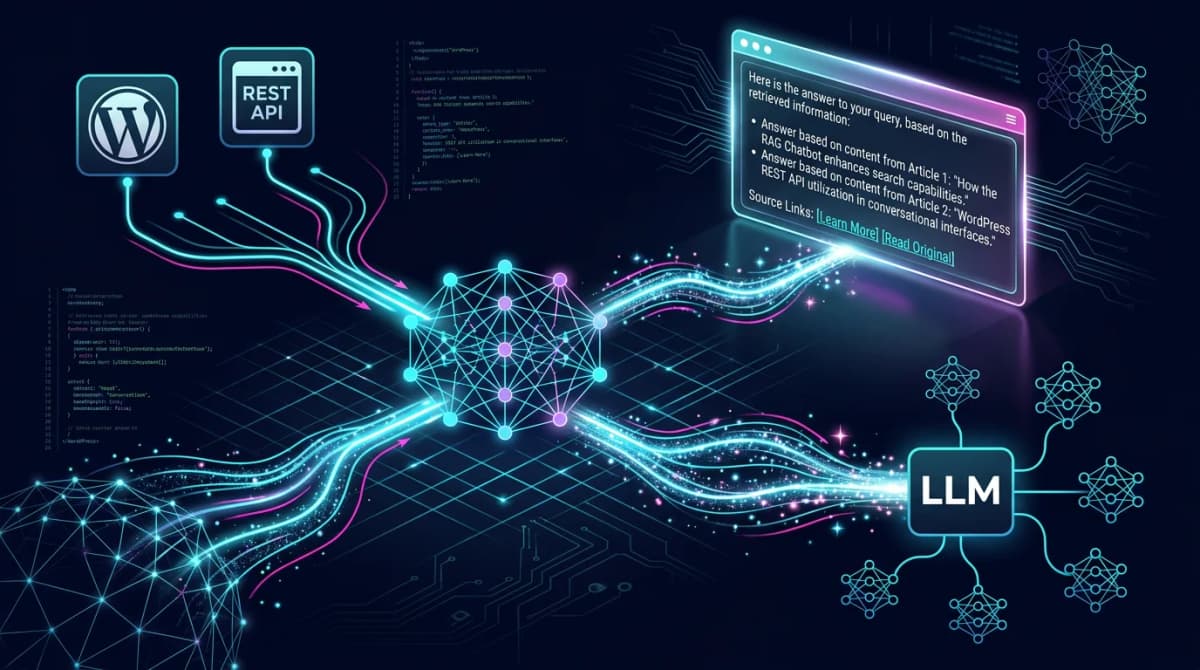
Related: Once WordPress is your headless backend it can power AI too — here is how I use WordPress as a RAG backend for AI assistants.
For technical inquiries regarding specific plugin configurations or implementation details, please contact via Telegram or submit a request through the contact form.